Simple Metronome
A metronome that just keeps time — accurate, and it keeps going in the background.
Live demo — change the tempo, tap the speaker for sound
Simple, but serious about the beat
One screen, no clutter — and the parts that matter are built properly.
Audio-clock timing
Beats are driven by the audio playback position, not a timer — so the click never drifts.
Keeps playing in the background
Leave the app or turn the screen off — the beat continues, with play and stop in the notification.
Time signatures
1–12 over 4 or 8, and compound meters like 6/8 group into triplets automatically.
Drum mode
Practice over a kick–snare–hihat groove instead of a bare click.
Presets
Save BPM, meter and sound per song, and load them back with one tap.
Beat flash
Flash the screen or the camera light on each beat — for loud rooms.
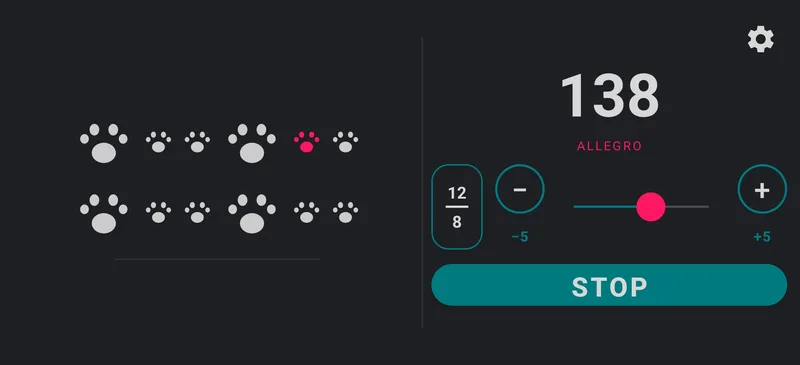
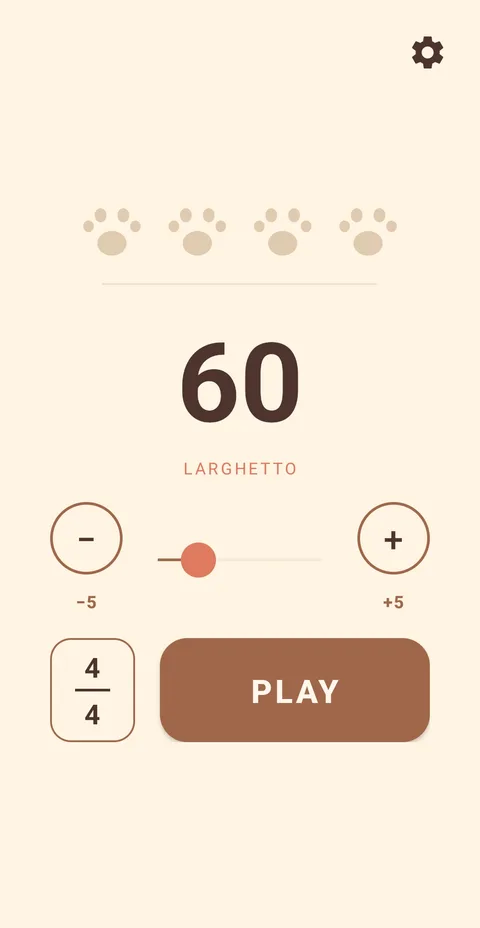
Two themes, both orientations, and a flash
Real device captures — paw-print indicators included.
Portrait or landscape — both just fit
Turn the phone and the layout follows.
See the beat as light
A blink on every beat — feel the tempo without sound.
Changelog
- 1.21
- You can now pick the time signature by tapping a number, not just swiping.
- 1.20
- Fixed the first beat sounding quieter when playback starts.
- 1.19
- The metronome now pauses automatically when your earphones disconnect or another app plays audio, and resumes after a phone call ends.
- 1.18
- Added a contact option in Settings. Email [email protected] directly, optionally including your app and device info to help us look into issues.
- 1.17
- Set an accent on any beat. Tap an indicator to cycle accent (higher pitch) → normal → mute; accents show a ring and muted beats dim.
- 1.16
- Play and pause from the lock screen and system media panel, including Bluetooth and headset media buttons.
- 1.15
- Made the ±5 buttons larger and easier to tap.
- 1.14
- Background playback: the metronome keeps going when you leave the app or turn off the screen, with play/pause from the notification.
- 1.13
- Presets, indicator shape choice (dot or paw), first-run help, slider and layout polish, and English/Korean support.